Back More Uses For TeamSnap

TEAMSNAP

Take Charge of Your Basketball Team

With TeamSnap, your basketball team can:

  • See essential contact information for each player
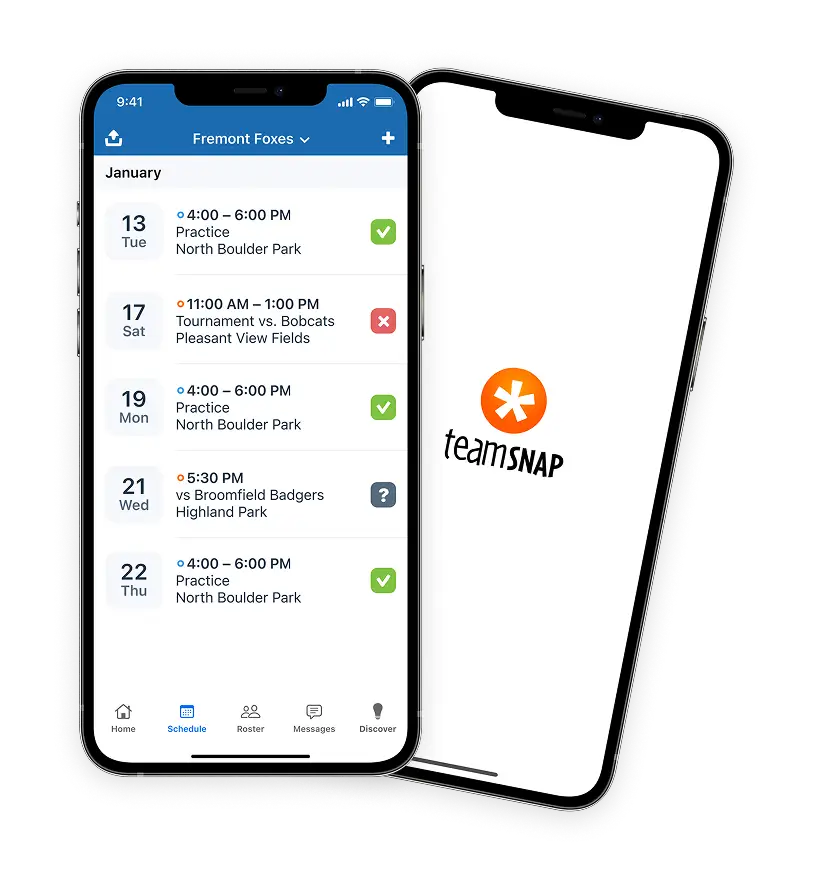
  • Schedule and coordinate upcoming events
  • See who can (and who can't) attend events
  • Accurately track team fees and payments
  • Exchange messages in a private messaging forum just for your team
  • Share photos and files with the team

Basketball teams have said...

  • “My team and I just wanted to say how great this site is. You have done a great job! Keep up the good work! We all work for Yahoo! and manage our own internet application so we can always appreciate great work like this!” — Shane F.
  • “We are a sports family. Big Time. Between my husband and I, we have coached and managed about 10 teams -- basketball, soccer, softball, and indoor soccer. Our kids usually play 2 sports per season so it helps enormously to be able to log in once and see all the activity for both kids, on one site, at one time. From a manger standpoint, it is incredibly useful when trying to schedule and confirm game times with other teams. The availability tab is the best -- before it took no less than 10-15 emails to settle the upcoming game roster! The parents (and kids) on the team love the convenience and find that it is very quickly adopted- by even those uncomfortable with change. Once setup the parents get really into it, posting pictures, snacks, etc. Everyone thinks I am a genius for setting it up :) and it only took 20 minutes to do!!” — Annie J.
  • “We have three children all playing at least two sports (some playing three). Managing schedules, events and responsibilities gets confusing and complicated - especially during the times when seasons overlap.

    In the past we've used phone trees, email and hard-copy handouts to coordinate. This is a lot of work for the team manager and coaches. When we set up our own website it was a little better, but things still slipped through the cracks and we had to create a site for each team, each season.

    I heard about TeamSnap from a friend who was playing around with the beta. It was a simple task to create a team site, so we built one. At the time softball was just around the corner, so we experimented with the league and softball teams. Tournaments, games, practices, team events, snack schedules - everything in one place. The coaches loved the Availability tab that makes it simple to see who will be at practice or games. Map links to away games and tournaments were invaluable. The ability to upload photos was a huge hit with the team and parents.

    When league softball ended, we immediately created a site to manage the advanced traveling softball team. It was a snap (no pun intended) to setup another team. Plus, we had a place to organize and coordinate hotels, directions and other needed planning for travel to tournaments around the state.

    Since then, we have created sites for our kids' baseball, football and basketball teams. Once the team members begin using it, they immediately recognize how simple it can be to keep track of the season. And with our busy schedules, anything that makes life simpler is a welcome addition.”
    — Ed C.
  • “I was looking for a team management website and googled at least for one month before I came across TeamSnap. Before I registered at TeamSnap, I registered at a few other websites, but they were all missing this or that feature what I was looking for. I had already made my team join a Google-Group for the communication and another website for team management (roster,schedule,stats), but then I fortunately found TeamSnap which made all that unnecessary! :)

    First of all I was impressed by the neat appearance of TeamSnap. All the other sites I had found by then might have been somehow functional, but they all look purely functional as well. TeamSnap has an up-to-date web interface which is actually permanently updated and improved.

    Way more important though was and still is the most comprehensive feature set I have ever seen to manage a team. You can call it, it is all there in one place. Roster, schedule, availability, photos&files, message board, e-mailing function, statistics, ... and even stuff like payments and refreshments can be managed. In all the recreational privately organized teams it is really neat to track who has paid yet or not.

    The biggest feature for us was definitely the availability one as it is essential to know who can make it to a game or not and to plan with it. Instead of sending and receiving tons of e-mails or using a message board to keep track of it, you can just go to the availity page on TeamSnap and see it with one view who will or won't come for all the upcoming scheduled events/games -- for us that is just priceless.

    I probably could fill a few more pages with recommend TeamSnap to everyone, but I try to sum it up here: You can see and feel everywhere that this website was created by individuals in sport teams who were looking for a website to manage their team, but they could not find a good one. So they used their web developing skills to created one themselves. The result is TeamSnap which fulfills all your team needs while always improving too.”
    — Jan C.
  • “TeamSnap has provided us with a great way to keep everyone in our twice weekly pickup games in the loop. The availability page is the best thing ever for these sort of ad hoc pickup games. We have around 30 guys (ages range from 17-50) who participate in our pickup games at various times throughout the year. In the morning on a day we are playing we send out a reminder (using the TeamSnap message board). In the reminder is a link to the TeamSnap availability page and a request that you please mark (with a check mark or an x) if you will be coming. The availability page keeps a running visual tabulation of who is coming and who is not and how many total that is. That way folks can feel confident on whether or not we will have enough people to play. It helps keep things going and you have an idea of who you will be playing with on any given night. We know that if we can get at least 6 people to officially signup we will probably be able to run full court that night. It is really very helpful. We use the announcement board (which has e-mail notifications) to get out the word on nights that we can't play as well. There may be an event at the school that prevents our use of the gym.” — Fred E.
  • “I am an electronic engineer who is used to see things in my professional life well organized. So, when I was "elected" manager of a team of 16-18 years old baseball players in the elite league of the Québec Province, I was quite surprised to see how difficult it was to manage all the information needed to run such a ball club. The first 6 weeks of the season were a real nightmare. I was spending all my spare time on the phone repeating the same story to eveybody. It was even worse when there was a sudden change in the schedule.

    So, when a friend of mine told me about TeamSnap, I decided to give it a try. Sincerely, this saved my summer! I had a central place where all the updated information, schedule, players list, messages were available to everybody! Teamsnap is a must to anyone that needs to manage a sports team, little or big!”
    — Louis N.
  • “I've tried three other programs for my team website, and Teamsnap is without a doubt the best!!! As a manager, the most useful feature TeamSnap provides that most others do not is the Availability page -- it is a huge timesaver to not have to call every player every game to find out who is available. Also the Stats page blows all others away, we love how it sorts everything into leader boards for each major stat!!!” — Bryan B.
  • “I was first introduced to TeamSnap through an invite to sign my son up for a baseball team site. Soon after my son joined a soccer team as well and I volunteered to be team manager. I really had no idea what I was getting into, but soon realized the challenge of keeping 30 parents, their kids and the coach all informed and communicating. TeamSnap has really made this a breeze.

    We use all features available. The ability to post the schedules with location links is great. The entire team uses the message system and as a result no one accidentally gets left out of the communication trail. Most importantly, team snap allows me to provide information effectively and empowers to parents to receive the info when and where they want. It really takes a significant load off of managing a team.

    I highly recommend team managers use TeamSnap! It will make your job so much easier and your team will never want to use anything else.”
    — Bob D.